My FS Flights logo
MY FS FLIGHTS - Flight Simulator Tracker
FEATURES COMPARE GET STARTED LOG IN

Transform Your
Flight Sim Experience
with In-Depth Tracking & Analysis

Tracked and analysed
flights over miles

Track every flight, analyse your performance,
and master your flying skills with My FS Flights

Get 10 flights free every month!

No credit card required

logo

MY FS FLIGHTS

Transform Your
Flight Sim Experience
with In-Depth Tracking & Analysis

Track every flight, analyse your performance,
and master your flying skills with My FS Flights

Get 10 flights free every month!

No credit card required

Tracked and analysed flights over miles

Discover the Key Features of My FS Flights


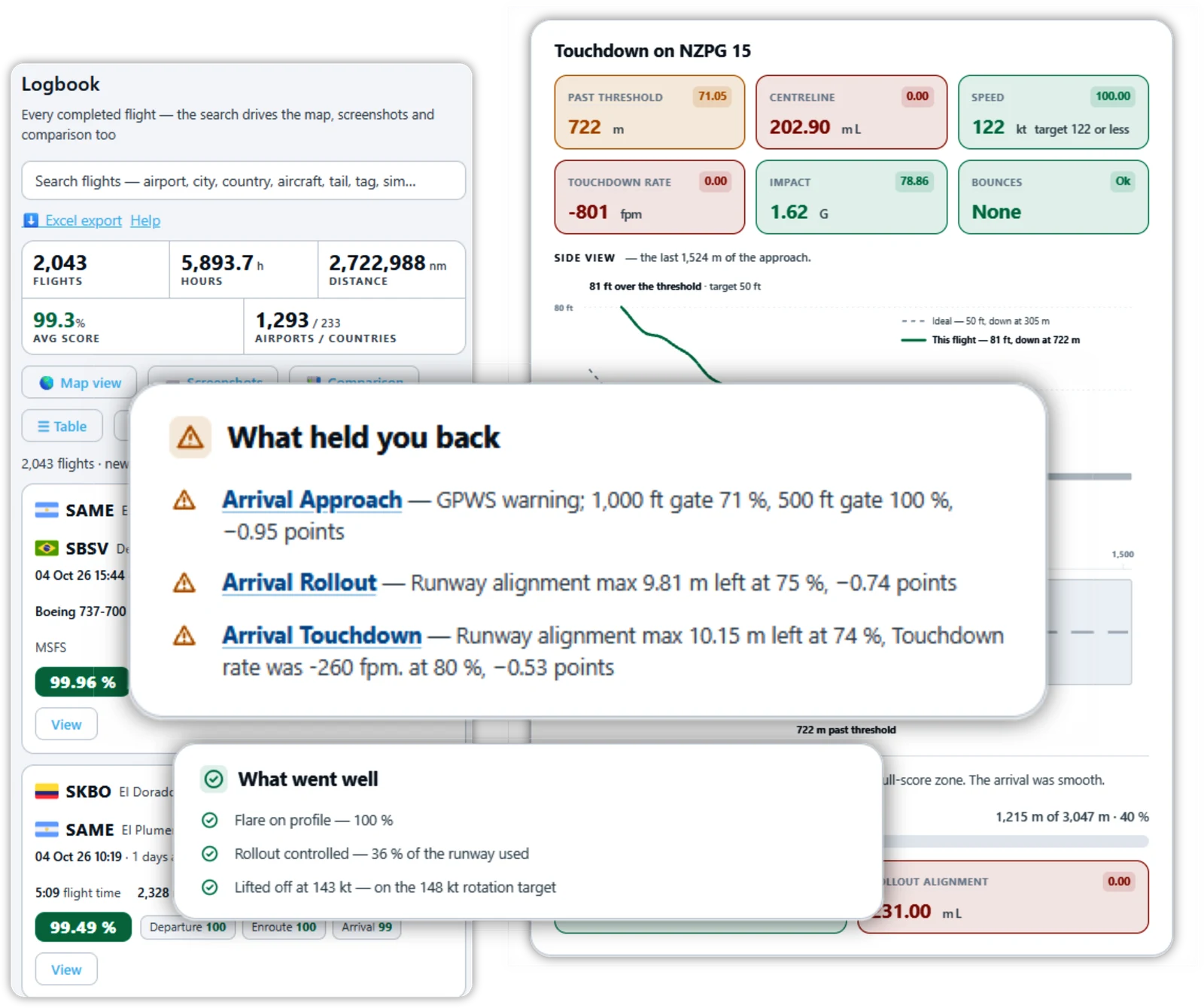
Detailed Flight Logbook

Detailed flight logbook entry showing a flight from LPPT to SBGL with departure and arrival data

Capture your entire flight experience with detailed logs including automatically generated descriptions,
personal notes, searchable tags, screenshots, and comprehensive flight reports.

Easily review flights with advanced filters and visualize your routes on an interactive map.

Start logging your flights today!


Flights Dashboard

My FS Flights statistics dashboard with flying time, distance and leaderboard rankings

Use the Statistics Dashboard to monitor your flying time, distance, and more.

See how you stack up against other pilots with our comprehensive leaderboards.

It's a great way to stay motivated and competitive.


Flight Analysis

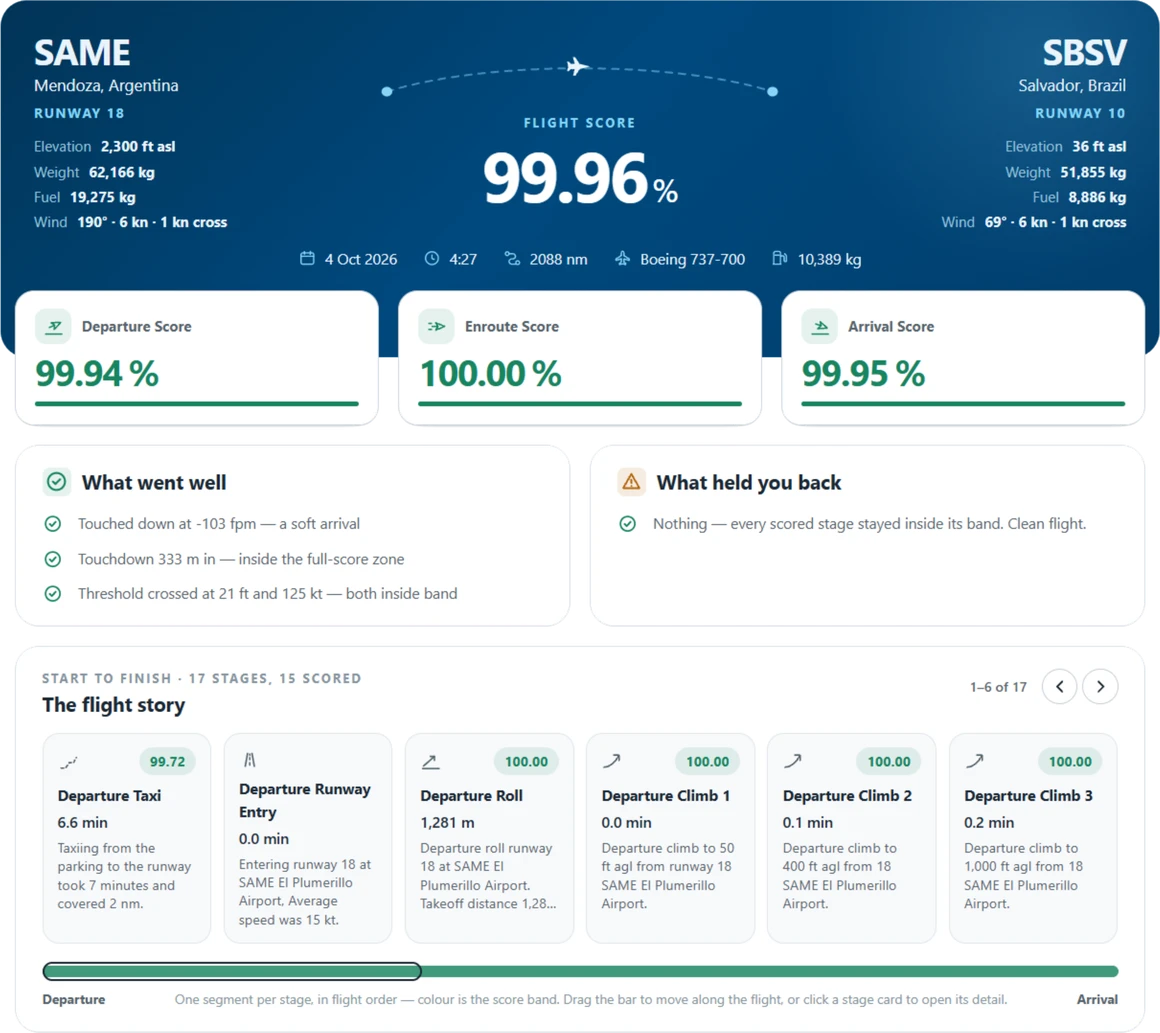
Stage-by-stage flight analysis breakdown

See a stage by stage breakdown of your flight helping you to improve your simulator flying.

Ever wondered what exactly happened during your last flight?

Find out, with our ten pages of in-depth analysis of every flight.


Landing Reports

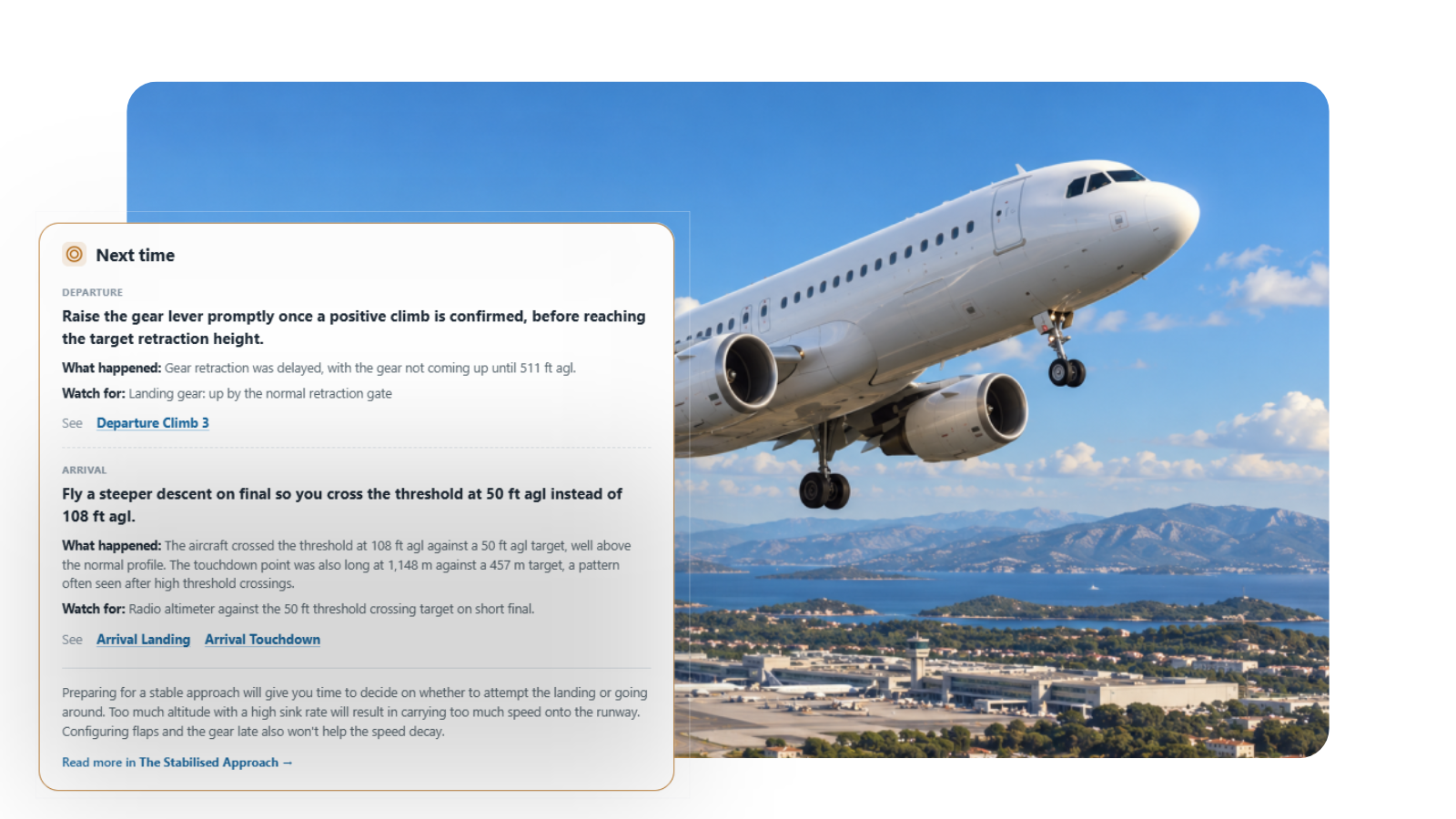
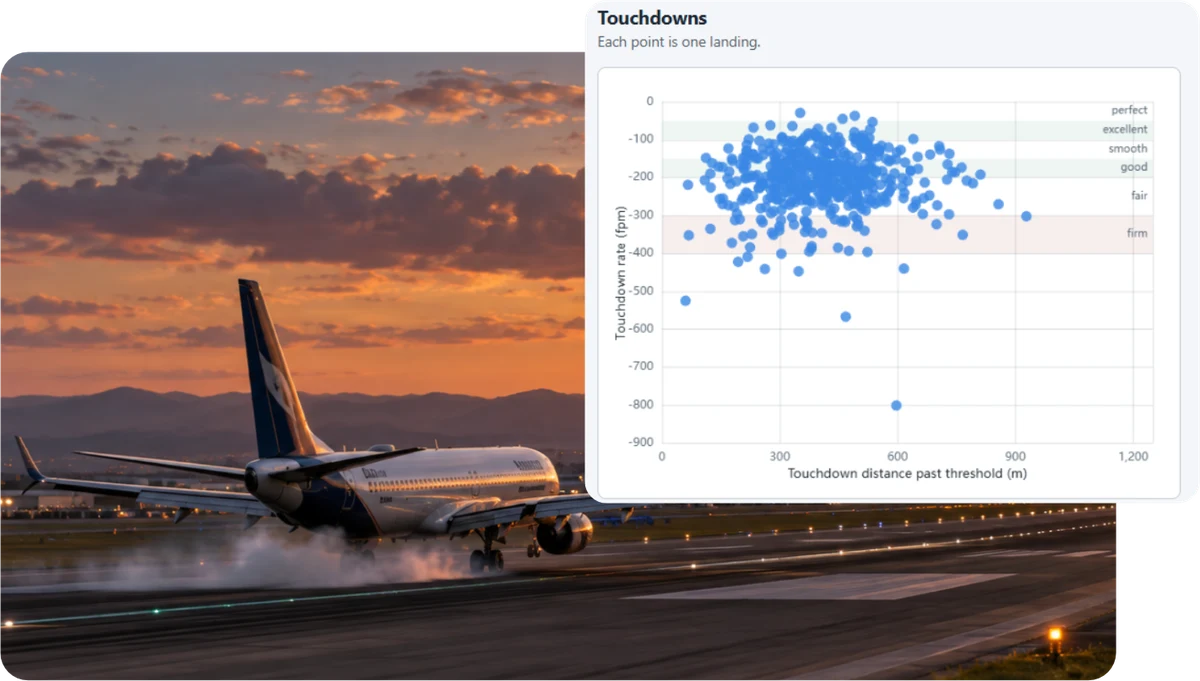
AI landing report with height, speed, flare scores and touchdown graphs
View Landing Report

Our AI-enhanced reports offer detailed feedback on your approach, touchdown, and rollout.

Learn from each landing and compare your performance over time to perfect your landing technique.


Discover New Routes

Flight route search suggesting new destinations

Are you bored flying the same old routes?

Our flight search feature suggests new and exciting flight route ideas based on your preferences.

Customize your journey with custom waypoints or use SimBrief for detailed flight planning.

Automatically upload flight plans to the simulator for a smooth experience.


Live Flight Sharing

Share your flight progress in real-time with friends!

Let them track your flight live on the map, complete with detailed analysis and geotagged screenshots.

Post-flight, easily share a detailed flight profile and highlights.


Explore a selection of recent flights tracked and recorded on My FS Flights:

Explore Recent Flights

Explore a current live flight being tracked on My FS Flights:


Microsoft Flight Simulator logo
Prepar3D logo
X-Plane logo

Microsoft Flight Simulator (MSFS 2020 & MSFS 2024)

Lockheed Martin Prepar3D (P3D V4, V5, V6)

Laminar Research X-Plane (XP11, XP12) on Windows.

Get started in minutes with our simple installation process.

My FS Flights runs seamlessly in the background with no impact on your simulator's performance.

Access your flights on any browser or device - desktop, laptop, tablet, or phone.


Try Now

Try My FS Flights for free, no payment details needed, and see how it can enhance your next flight!

Start Your Free Trial Now!

FEATURE COMPARISON

Feature:

Free
Pro
Ultimate

Flights (Monthly Subscription)

10
30
Unlimited

Flights (Annual Subscription)

360
Unlimited

AI landing analysis

SimBrief planning integration

Screenshots per flight

20
50

Weather map layers

Map Styles - satellite, dark and light

Share flights publicly

Delete flights

Opt out of Leaderboard sharing

Included in every plan

Detailed flight logbook

Flight plan creation, storage and upload

Leaderboard and achievements

Flight takeoff report

Flight landing report

Flight stage details and analysis

Detailed 3D flight profile

Runway alignment profile

Approach glideslope alignment

Flight route generator

Track places, aircraft, hours and distance

Flight stats and and history dashboard

Cloud storage accessible everywhere

Supports Microsoft Flight Simulator (64-bit) for Windows (Not for Xbox)

Supports X-Plane 11 and X-Plane 12 for Windows

Supports Prepar3D (64-bit) for Windows

Topographical maps

Monthly Subscription
£0
£ 2
£ 3
Annual Subscription
(Save around 20%)
£ 19
£ 29

Frequently Asked Questions

Which flight simulators are supported?

My FS Flights works with Microsoft Flight Simulator (MSFS 2020 and MSFS 2024), X-Plane 11 and 12, and Prepar3D v4, v5 and v6 on Windows. It is one app that works the same way with every supported simulator.

Does it work with MSFS on Xbox?

No. My FS Flights runs on Windows PC only, so the Xbox version of Microsoft Flight Simulator is not supported.

Is there a free plan?

Yes. Every account gets 10 tracked flights free every month, with no payment details required. New accounts also start with a free 14 day trial of the paid features, which automatically reverts to the free plan on expiry.

Will it affect my simulator's performance?

No. My FS Flights runs quietly in the background and has no impact on your simulator's performance.

Can I view my flights on my phone or tablet?

Yes. Your flights are stored in the cloud and can be viewed in any browser on any device - desktop, laptop, tablet or phone.

What is the AI landing report?

Available on the Pro and Ultimate plans, the AI landing report analyses your approach, touchdown and rollout and gives you detailed feedback, so you can compare landings over time and perfect your technique.

Get a Free 14 Day Trial


Get a Free 14 Day Trial


* free trial will automatically revert to the free plan on expiry, no payment details required

* free trial will automatically revert to the free plan on expiry, no payment details required