
How does a flight simulator help you with real-world flying?
Somewhere between "flight simulators are just games" and "airlines train pilots to fly passengers on their first day using nothing else", there's an honest answer about what your desktop simulator does for real flying. If you're a student wondering whether the hours you've already put into MSFS will shorten your training, a licence holder trying to stay sharp between real flights, or a lifelong sim pilot wondering whether the skill is real, you've probably already read the standard answer. Good for procedures, bad for feel, get an instructor. It's true, and it's nearly useless, because it doesn't tell you which of the hundred things you do in a cockpit counts as "procedure" and which counts as "feel".
This article is an audit. Skill by skill, what a desktop simulator gives you at full strength, at partial strength, at zero, and at negative value, and, more usefully, why, because once you know the mechanism you can work out the verdict for anything not on the list.
Why anything transfers at all
Transfer of training is governed by the type of task, not by how expensive the hardware looks. Tasks that are cognitive, procedural or rule-based, knowing what comes next, in what order, and what to do when a condition is met, transfer almost completely from a desk. Tasks that are continuous, perceptual and closed-loop, where your hands respond moment to moment to what your eyes and body sense, transfer poorly, because the sim feeds you different sensations and your hands learn to answer those instead. Every verdict in this article comes off that one axis.
This is also why the airline argument is real but routinely misused. Zero-flight-time type ratings, where a pilot's first flight in the actual aircraft carries passengers, prove that procedures, instrument flying and automation management transfer completely, from a full-motion, control-loaded, visually correct Level D device, to a pilot who already has thousands of hours of hand-flying behind them. It's evidence for the task-type axis, not evidence for your monitor.
Three more pieces of mechanism, and then the audit. First, the way a sim helps a real flight is mostly workload reduction, not skill installation. You arrive already knowing what happens next, the flow, the frequencies, the geometry of the airport, which frees attention for the perceptual learning that only the aircraft can teach. A student who is not fighting the GPS has spare capacity to notice what the runway looks like from 200 feet. Second, practice without feedback does not build skill. It consolidates whatever you already do. A hundred repetitions of a sloppy scan produce a fast sloppy scan. This matters at a desk more than anywhere, because home practice is usually solo and unobserved, and the difference between training and grinding in a fault is invisible from the inside. Third, transfer effectiveness falls off steeply with repetition. The first hour rehearsing a specific procedure is worth a great deal, and the twentieth is worth almost nothing. Sim time is best planned as a front-loaded intervention on a named weakness, not accumulated as hours.
One counterintuitive point in the sim's favour. The absence of motion is a genuine loss for handling, but for instrument work it's close to neutral, and in one respect it's a feature. A fixed-base device cannot generate the vestibular illusions, the leans, the false climb, that kill VFR pilots who blunder into cloud. It cannot teach you to resist your inner ear, but it also never lets you practise believing it, because there's nothing to believe. The scan you build at a desk is a real scan. What the desk cannot supply is the turbulence, workload and fear that degrade it, which is why the verdict later is "partial" rather than "full".
What changes when the cockpit is a desk
Real-world training advice silently assumes a set of cues that a desk deletes, and knowing which ones tells you where transfer breaks.
The view. A 27-inch 16:9 monitor is about 60 cm wide, so at a normal viewing distance of 70 cm it subtends roughly 45 degrees of your vision, while human vision takes in something like 200 degrees. You can set the sim's field of view wide to see more, but then everything on screen is smaller than life and the runway "picture" you learn is miniaturised. Set it geometrically correct and you fly through a letterbox. Worse, a flat panel offers no stereopsis and almost no motion parallax, the two cues that make the last twenty feet of a landing judgeable, and it strips out peripheral optic flow, which is the main real-world cue for sink rate in the flare. This is the root cause of the classic pattern. The sim pilot who lands beautifully at home substitutes instruments for the missing visual cues, then cannot stop doing it in the aircraft. VR restores parallax and some peripheral flow, and it's the only home setup for which "the flare transferred" is a defensible claim, at the cost of headset resolution, which blurs distant traffic and signage. Head tracking on a flat screen is arguably the highest-transfer hardware purchase per pound, not for immersion but because it makes you physically turn your head on base leg. A fixed forward view teaches you to fly a circuit without ever looking at the runway, and that habit follows you into the aircraft.
The controls. A real aircraft's controls load up with airspeed and go mushy when slow, which naturally limits the size of your inputs. A spring-centred yoke feels identical at 60 knots and 160, so sim pilots make large, fast inputs everywhere and get away with it. Trim is subtler and more corrosive. In an aircraft you trim to remove force from your hand. On a spring yoke there's no force to remove, so you learn to trim by watching the vertical speed indicator instead, and you arrive in a real cockpit unable to answer "is it in trim?" without looking inside. If your setup has autorudder on, or no pedals, the sim is not merely failing to teach yaw. It's teaching that yaw does not exist. Adverse yaw, the crosswind sideslip and steering on the ground all become invisible. Sound is the one force cue you can partially restore. Airspeed and stall onset arrive through wind noise and buffet in a real aircraft, and they do in a good sim too, if the volume is up. Treat that as a training decision rather than an immersion preference.
The rules of the world. A stutter at 20 feet is a false sink-rate cue at the worst possible moment, because perception of sink near the ground is a rate-of-change judgement, and a dropped frame corrupts exactly that. So for landing practice, smoothness is worth more than scenery. Repositioning, pause and reload are the sim's great gift for procedures and its quiet poison for judgement. If a botched approach costs nothing, the reflex you're training is "continue, and reload if it goes wrong", which is precisely backwards. And the desk deletes every physiological stressor, heat, noise fatigue, the passenger's question, the bladder, so assume your real-world performance will run about a grade below your sim performance on the same task.
The inversion nobody mentions. Against all of that, the sim knows things a real cockpit does not. Your exact touchdown rate, your speed crossing the threshold, your centreline offset, your glidepath deviation, and a replay of what actually happened rather than what it felt like. A rented C172 measures none of those. On the parameters that can be measured, the desk is a better feedback environment than the aircraft, and that fact does most of the work in the second half of this article.
The ledger
Transfers at full strength. Avionics operation, the G1000, a GTN 750, an autopilot's mode logic, is the single highest-value item on the list, because button-ology is pure procedure and real aircraft rental is a ruinously expensive place to learn it. Checklists and flows. Instrument chart interpretation, approach and missed-approach mechanics, hold entries. Radio phraseology, provided you fly on a live network with human controllers rather than default sim ATC, whose phraseology will teach you habits a real frequency will not tolerate. Systems knowledge. Airport layout and taxi routes. Above all, sequencing. Knowing what happens next, which is the thing that keeps a student ahead of the aircraft.
Transfers partially. The instrument scan, real, as argued above, but built in calm conditions and degraded by real turbulence and workload. Energy management, because the relationship between pitch, power, drag and the runway is the same physics on both sides of the screen, though the cues for it are thinner at a desk. Circuit geometry. Engine-failure decision-making, with a caveat covered under drills. Unusual-attitude recovery on instruments.
Transfers barely or not at all. The flare, on a flat screen, for the depth-cue reasons above. Crosswind touchdown, which is flare plus footwork plus a gust model that most sims handle poorly. Ground handling and taxi feel, a persistent weak point in desktop flight models. Stall recognition by buffet, slow-flight feel, trim by feel. Spin recovery, because even where a model spins, don't assume it spins like the aircraft. Lookout discipline, unless head tracking or VR forces it.
Transfers negatively. These are the habits your sim is actively teaching you unless you intervene. Ignoring the rudder. Flying the airspeed indicator on short final because it's the only trustworthy cue the monitor offers. Oversized control inputs. Treating the go-around as free (or, worse, treating the reload as cheaper than the go-around). Skipping checklists because default aircraft spawn ready to fly. Expecting real ATC to behave like sim ATC. And, this one is speculative but worth taking seriously, flying VFR into deteriorating weather repeatedly without consequence, and letting that erode your risk aversion.
Who gets what
The ledger lands differently depending on who is reading it. A pre-solo student gets the highest return from radio work, checklists, circuit geometry and airport familiarity, and close to nothing from practising landings, with a real risk of arriving overconfident, which instructors report often enough that it's worth flagging even as anecdote. The sim-experienced student is typically ahead on avionics and radio, behind on rudder and lookout, and worst of all carries a self-assessment calibrated on the sim. An instrument student gets the highest total return of any group. The scan, approach mechanics, partial panel and missed-approach flows are the desk's home ground, and this is the one phase of training where a home sim comes close to being a legitimate training device. A rusty PPL flying twenty hours a year gets currency of the scan and avionics fluency, and almost nothing in handling. A type-rated airline pilot gets little their employer's Level D device does not already provide, beyond free repetitions of niche procedures and unfamiliar airports.
Aircraft type shifts the verdict too. Light singles expose the sim's weakest areas, ground handling, low-speed feel, while jets play to its strongest. Procedures, automation, energy management. And rehearsal value is highest exactly where most people do not practise. At the complex, terrain-constrained, unfamiliar field, not at the home strip you could taxi blindfold.
One direction of transfer runs the other way, and almost nobody mentions it. After real training the sim becomes markedly more useful, because you finally know which cues are missing and can supply them from memory. The pilot who has felt a real flare can look at a flat screen and mentally fill in what is not there. The pilot who never has, cannot.
Making a session transfer
Most sim hours transfer nothing, and the community keeps counting them anyway. A four-thousand-hour virtual airline career flown mostly on autopilot at cruise is a legitimate hobby and a poor training log. What it has practised, extensively, is the cruise. Practice is the 40 minutes where you set an objective and made it hard.
The shape that works. 30 to 45 minutes, one written objective, and frequency over duration, because three short sessions a week will beat one long session a fortnight for procedural retention, since spaced practice retains and massed practice evaporates. A useful rule for deciding what to rehearse before a real flight. Anything you'll have to do once, under time pressure, that you have done fewer than five times. That rule selects the avionics setup, the unfamiliar taxi route and the specific approach, and it firmly deselects the two-hour cruise.
Two failure modes deserve names, because from the inside they feel like progress. The first is blocked practice. Twenty identical approaches at the same airport in the same weather feel like rapid improvement, and the improvement is real within the session, and transfers poorly, because you have learned that approach rather than approaches. Randomise the airport, wind, weight and runway every repetition, accept that your in-session performance drops, and take the payment a week later. The second is grinding in error. The solo hour where the same fault is repeated twenty times and called practice. Nothing inside the session distinguishes this from improvement. Only measurement across repetitions does, which is where the last section of this article comes in.
Two habits fix most of the negative-transfer column. Impose a one-attempt rule. If the approach goes wrong, fly the go-around, fly the circuit, and land off the next one, no reload. And start cold and dark at a parking stand at least sometimes, so the checklist has something to catch.
Diagnosis is worth a paragraph too, because two opposite faults produce the same bad landing. Flaring too high is usually a small-field-of-view, no-parallax symptom, while flaring too late is usually a zoomed-out-view symptom in which everything on screen is smaller than life. Same balloon-or-bang outcome, opposite fixes, and treating one as the other makes it worse. A related test. If you cannot land in the sim with the airspeed indicator covered, you are flying the instrument, not the picture, and that's the habit that will follow you into the aircraft.
Drills the aeroplane cannot offer you
Free repetitions, weather on demand and a reposition key make some exercises available at a desk that no instructor can responsibly offer. These are the sim's genuine monopoly.
- The impossible-turn ladder. Engine failure on climb-out at 300, 400, 500, 600 and 700 feet, ten repetitions at each, until you find the altitude where the turnback stops working for you, in that aircraft, in that wind. No school will let you explore this below circuit height for real. Then pad your number by at least 500 feet before it goes anywhere near reality, because the sim gave you a known failure, zero startle and an instant pitch to best glide.
- Twenty go-arounds in an hour. From 500 feet, from 200, from 50, and after touchdown as a balked landing. Many licence holders have flown fewer than five go-arounds in their lives, and it's the manoeuvre most correlated with not bending an aircraft.
- The deliberately unstable approach. Arrive at 1,000 feet high, fast and dirty, and practise the decision. Recognising unstable is a distinct skill from flying stable, and it's almost never trained.
- Cold and dark to taxi, timed, single attempt, full checklist. Procedural fluency with a hard, measurable output.
- A crosswind ladder. Five-knot increments until you consistently break, then compare your number with the type's demonstrated crosswind, 15 knots for a C172, and note that "demonstrated" is a test-pilot data point, not a limit.
- ASI-covered circuits. Fly attitude and sound, then uncover to check. The closest a monitor gets to teaching the picture.
- Failure roulette. Random failure injection mid-flight, because the real skill is the ordering of startle and procedure, and that ordering can only be practised when the failure is unannounced.
Vary everything between repetitions even when it hurts your score. Especially when it hurts your score.
What measurement adds, and what it cannot see
The feedback problem runs through everything above. Solo practice without feedback consolidates faults, and the desk is unsupervised by design. The measurement inversion is the answer. Two numbers transfer verbatim from the desk to the aircraft, because they're the same physics and visible in both places. Speed at the threshold relative to VRef (the reference landing speed, traditionally about 1.3 times the stalling speed in landing configuration), and touchdown point relative to the aiming markers. A persistent five-to-ten-knot fast bias at the threshold is the root cause of most float, long landings and runway excursions, and it's exactly the kind of systematic error that a trend across twenty flights exposes faster than any instructor's eyeball, because no single flight looks alarming.
That "across twenty flights" matters. A single flight's score tells you almost nothing. The signal is in the trend and the spread. Consistency beats magnitude. A pilot whose touchdowns cluster at 180 feet per minute plus or minus 30 is in better shape than one averaging 120 with a spread of 200, because variance is what predicts outcomes on the day the wind is doing something new, and average is merely the number people brag about.
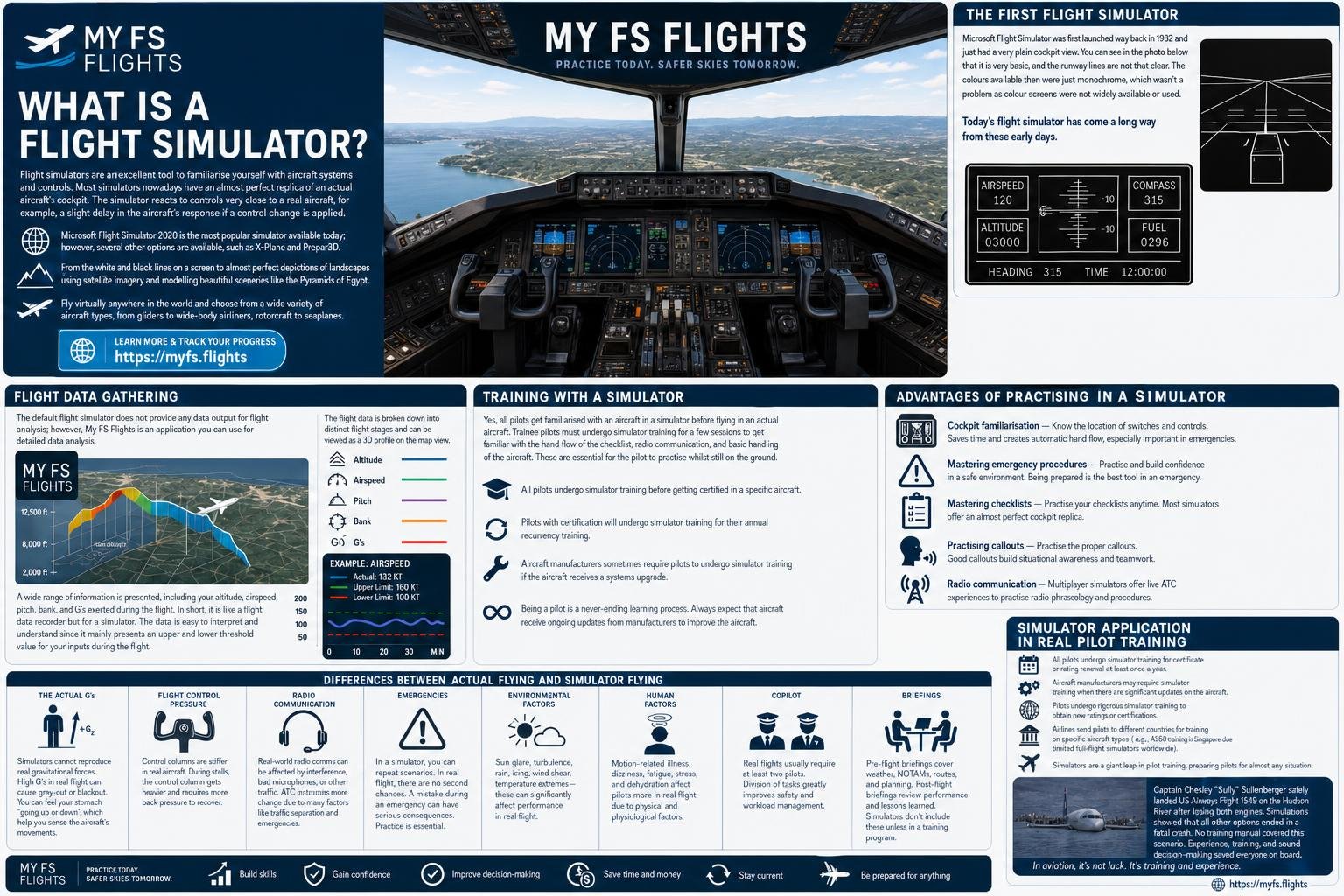
This is the specific gap I built My FS Flights for. It records every flight automatically in the background, so a practice session does not depend on remembering to log it. The landing report gives you the touchdown rate, threshold speed against VRef, centreline and glideslope tracking and rollout that no real GA cockpit can produce. Stage-by-stage scoring lets you trace a bad landing back to where the approach actually broke, which is usually at 1,000 feet rather than at 20. And the stabilised-approach badge is assessed against the same five-criterion gate, gear, flaps, sink rate, glideslope, centreline by 1,000 feet, that real jet crews are held to, so the discipline being trained is the real one. The honest limit. It cannot see your lookout, your rudder coordination in a real gust, your radio, or your decision not to fly at all, the four things the aircraft measures best.
One warning about any scoreboard, including this one. Chasing the smooth touchdown is the wrong target. The right landing arrives in the touchdown zone, on centreline, at the right speed, nosewheel last, and on a short or wet runway a firm touchdown