
Sim Update 5 Is Here: Career Unlocked, PSVR2 and What Else Changed in MSFS 2024
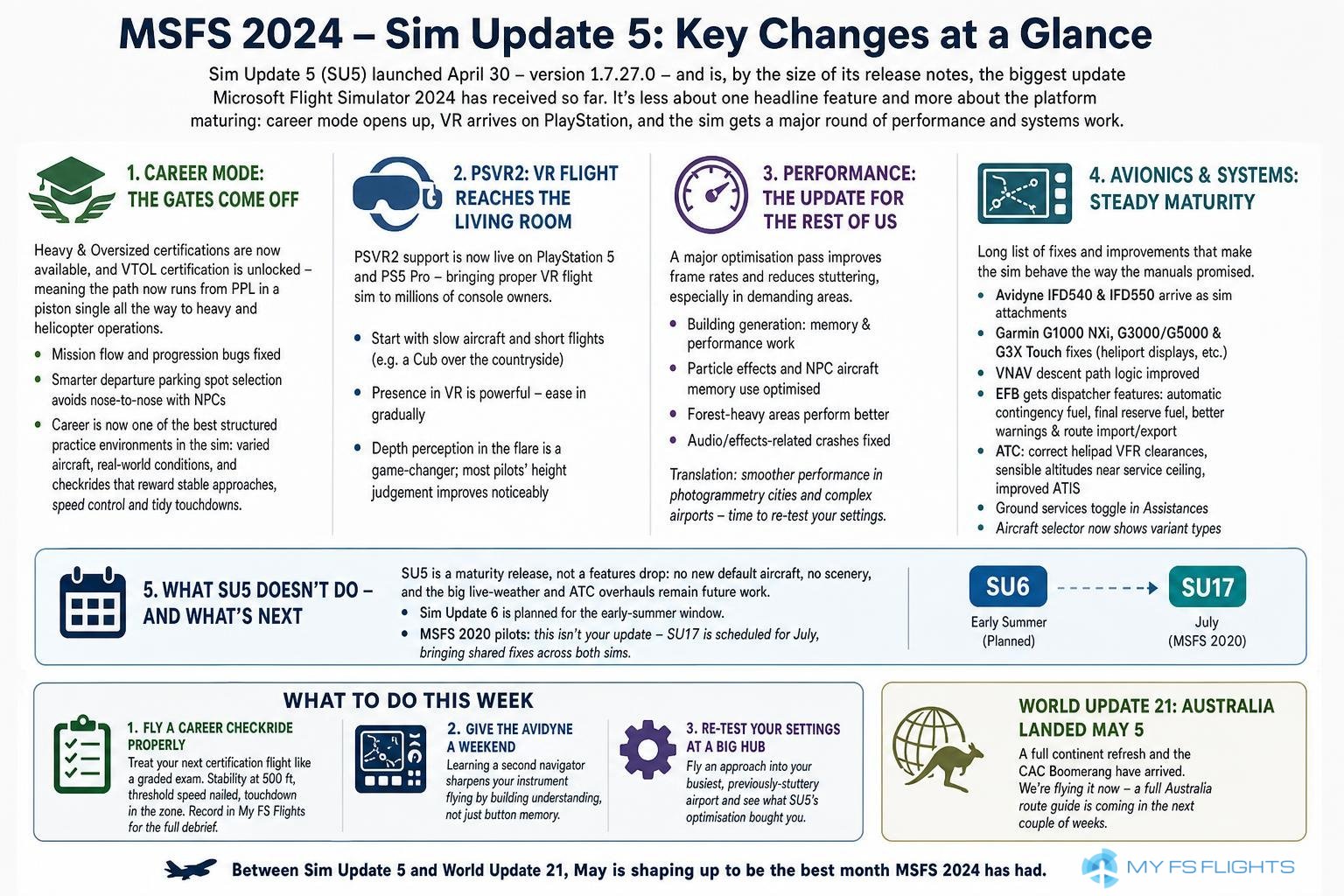
Sim Update 5 arrived on April 30 - version 1.7.27.0, and by the size of its release notes, the largest update Microsoft Flight Simulator 2024 has yet received. As promised in the 2026 roadmap, this one is less about a single headline feature and more about the platform growing up: career mode finally opened right out, VR arriving on PlayStation, and a long, unglamorous, very welcome list of performance and avionics work. Here is what actually changed, and - as ever - what it means for how you fly.
Career mode: the gates come off
The biggest structural change is to career mode. The Heavy and Oversized certifications are now available, and the VTOL certification is unlocked - which in practice means the career path now runs all the way from a PPL in a piston single to flying heavy metal and helicopter operations, without the progression walls that had frustrated players since launch. Mission flow and progression bugs got attention in the same pass, along with small quality-of-life details like smarter departure parking spot selection so your assigned aircraft is no longer nose-to-nose with an NPC.
If you bounced off career mode at release, this is the update to try it again. And a suggestion from our corner of the hobby: career mode is quietly one of the best structured practice environments the sim has ever had. It hands you varied aircraft, unfamiliar airports, weather you did not choose and a reason to complete the flight properly - which is precisely the flying that improves you, and precisely the flying most of us avoid when left to our own devices. The certification checkrides in particular reward exactly the discipline we keep banging on about here: stable approaches, speed control and tidy touchdowns.
PSVR2: flight sim VR reaches the living room
PSVR2 support is now live on PlayStation 5 and PS5 Pro. It is hard to overstate what a milestone this is: proper virtual reality flight simulation, previously the preserve of gaming PCs with serious graphics cards, now works on a console several million households already own.
If you are trying VR flight for the first time on PSVR2, two pieces of advice from the PC VR veterans. Start with slow aircraft and short flights - a Cub over the countryside, not a 787 into JFK - because presence in VR is so strong that your ambition will outrun your comfort for the first week. And expect your landings to change: depth perception in the flare is the thing flat screens never gave you, and most pilots find their height judgement in the last twenty feet genuinely improves in the headset. We will return to VR properly in a future piece.
Performance: the update for the rest of us
The least quotable section of the release notes may be the most important: a substantial optimisation pass. Building generation got memory and performance work, particle effects and NPC aircraft memory use were optimised, forest-heavy areas perform better, and a family of audio- and effects-related crashes was fixed. The result, on most systems, is better frame rates and - more noticeably - less stuttering in the places that hurt: large photogrammetry cities and complex airports.
The practical translation: if you set your graphics settings conservatively months ago to keep big airports flyable, SU5 is a good excuse to revisit them. And if you fly on mid-range hardware, the smoothness gain around dense scenery is the difference you will actually feel day to day.
Avionics and systems: steady maturity
The avionics list is long and mostly consists of things working the way the manual always said they should:
- Avidyne IFD540 and IFD550 units arrive as sim attachments - a genuinely different navigator for the GA fleet, and worth trying if the Garmin ecosystem has gone stale for you.
- Garmin G1000 NXi, G3000/G5000 and G3X Touch all took fixes, including heliport display corrections across the glass cockpits.
- VNAV descent path logic improved - the sim computes and flies coded descent paths more sensibly, which matters to anyone flying arrivals with altitude constraints. If you have been managing descents by hand out of distrust of the automation (an honest habit, and one we recommend understanding anyway), the machinery is now more trustworthy.
The EFB also grew real dispatcher features: automatic contingency fuel calculation with ICAO, FAA or EASA policy options, final reserve fuel computation, better performance-page warnings and cleaner route import/export in the Planner app. Small print, big deal: fuel planning in the default tablet is now close to what previously needed third-party tools.
Rounding it out: ATC now issues helipad VFR landing clearances correctly and assigns sensible altitudes near an aircraft's service ceiling, ATIS message handling improved, ground services can be toggled from Assistances, and the aircraft selector finally shows variant types on the tiles.
What SU5 doesn't do - and what's next
Worth being clear about the boundaries, because update-day expectations have a way of inflating. SU5 is a maturity release, not a features one: there is no new default aircraft in it, no scenery, and the live-weather and ATC overhauls that top every community wishlist remain future work. If MSFS 2024 fundamentally did not suit you before, this update will not change your mind - what it does is make the sim that existed considerably more solid.
The cadence continues, though. Per the roadmap, Sim Update 6 is pencilled in for the early-summer window, and the scenery machine rolls on ahead of it. MSFS 2020 pilots, meanwhile, should note that this is not their update - the 2020 platform's own Sim Update 17 is scheduled for July, carrying fixes shared across both sims. If you fly 2020, sit tight; you have not been dropped.
What to do with all this
A Sim Update is only as good as the flying it prompts, so three concrete suggestions for the week:
Fly a career checkride properly. Pick up the career where you left it - or start it - and treat the next certification flight as a graded exam: stability gate at 500 feet, threshold speed nailed, touchdown in the zone. The sim is now grading you; you may as well grade yourself too. Recording the flight in My FS Flights gives you the full stage-by-stage debrief the career screen doesn't.
Give the Avidyne a weekend. Learning a second navigator is one of those exercises that sharpens your instrument flying generally, because it forces you to understand what the box is doing rather than which buttons you have memorised.
Re-test your settings at a big hub. Fly one approach into the busiest airport that used to stutter for you, and see what SU5's optimisation pass bought your hardware.
And barely had SU5 bedded in before the next arrival: World Update 21: Australia landed this week (May 5), bringing an entire continent's refresh and the CAC Boomerang with it. We are flying it now, and a full Australia route guide is coming in the next couple of weeks - between the two updates, May is shaping up to be the best month MSFS 2024 has had.