
Crosswind Landings in the Sim: Crab, Sideslip and How to Judge Your Own Touchdowns
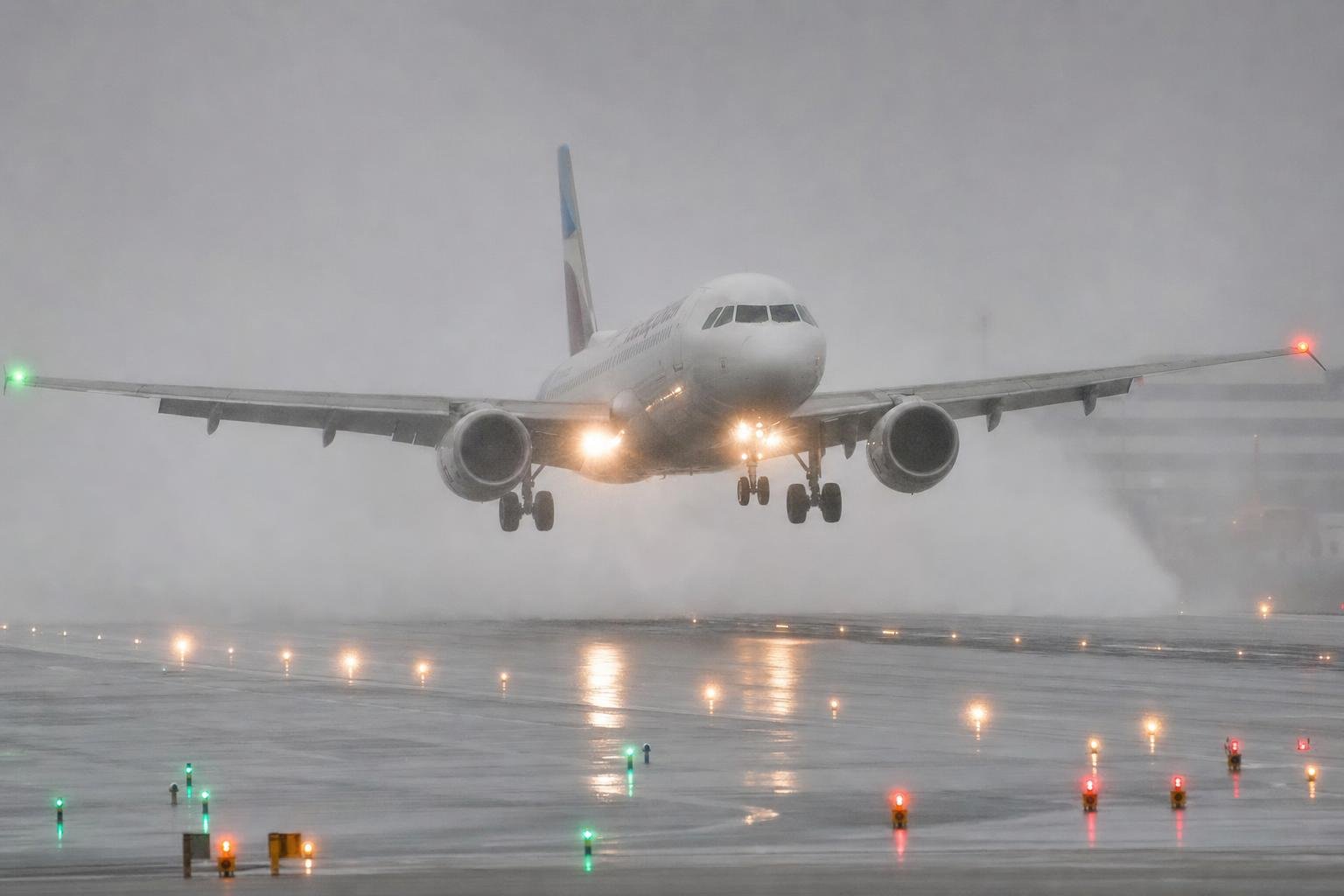
Every guide to crosswind landings says the same thing, because the technique has been settled for a century. Crab down final with the nose into wind, either kick the crab out just before touchdown or transition to a wing-low sideslip, put the upwind wheel down first, and feed in aileron as you roll out. You've read that. You may have read it three times this week. And your landings still drift off centreline, or arrive with the nose pointed somewhere odd, or turn into a swerving mess halfway down the rollout, and you're starting to suspect either your hands or your simulator's wind model.
The handbook version isn't wrong, but it was written for a pilot sitting in an aircraft, and it silently assumes things you don't have at a desk. Peripheral vision to detect drift, a body that feels sideslip, rudder pedals that push back, and an undercarriage that complains when abused. Strip those away and two problems appear. The technique itself needs translating. And, less obviously, you lose the ability to judge your own touchdowns, because the cues that tell a real pilot "that was sideways" mostly don't exist on a monitor, and most sims will accept a drifting, crabbed touchdown without so much as a squeak of protest.
The crab is not a manoeuvre
A crosswind landing is a geometry problem. The air mass you're flying in is moving sideways across the runway, and you need your ground track down the centreline with your wheels aligned to it at the moment of contact. The two classic methods solve it in different ways, and understanding what each one is doing mechanically makes the rest of this derivable rather than memorised.
The crab is not a manoeuvre at all. A crabbed aircraft is in zero sideslip, flying perfectly normally inside a moving air mass, and it needs no control deflection whatsoever to hold. That's why crabbing down final is effortless, and why the entire skill of the crab method is concentrated in the last few seconds. The de-crab, where you use rudder to yaw the nose from into-wind to runway-aligned just before touchdown.
The de-crab works because of inertia. The moment you kick the crab out, the aircraft stops compensating for the wind, but it takes a couple of seconds for the wind to accelerate several hundred or several thousand kilograms of aeroplane into appreciable sideways drift. The technique is a race between drift build-up and touchdown, which is exactly why the conventional teaching times the kick at roughly ten to twenty feet and not at a hundred. Kick early and you lose the race. A 15 kt crosswind component will accelerate you towards 15 kt of sideways drift, which is about 25 ft/s. Kick at a hundred feet and float, and you'll travel from the centreline to the edge of a 45 m runway in about four seconds.
The sideslip, or wing-low method, is a cross-controlled equilibrium. Bank into the wind and the tilted lift vector produces a sideways force that cancels the drift. The bank would also yaw the aircraft, so opposite rudder holds the nose straight. Held together, the aircraft tracks the centreline with the fuselage aligned to it, and you can carry that state all the way to touchdown on the upwind wheel.
The practical limit of the slip method is almost always rudder authority, not bank, and that reframes the "maximum demonstrated crosswind" figure in the manual. Light-aircraft certification has long required the manufacturer to demonstrate satisfactory control in a 90-degree crosswind of at least 20% of the stalling speed, which for a typical trainer is only about 10 kt. The 15 kt printed in the handbook is therefore what the manufacturer chose to demonstrate, not what the rule demanded. Either way it's a demonstration, not an operating limit, and certainly not a discovered edge of the envelope.
Most pilots end up flying the combination. Crab down final, because it's comfortable and coordinated, then transition to a slip in the flare, which amounts to a gentle de-crab with the wing lowered to stop the drift the de-crab would otherwise release.
One more piece of mechanism helps on short final. Surface friction slows the wind near the ground, and in the northern hemisphere it backs it as well (it veers in the southern), so the crab angle you needed at 500 ft is more than you need at 50 ft. Pilots who feel they "over-corrected in the flare" have often corrected accurately for a wind that was no longer blowing.
And the landing is not over at touchdown. The vertical tail sits well aft of the main gear, so once the wheels become the pivot point, the crosswind pushes on the fin and yaws the nose into wind. Weathervaning. On a tricycle aircraft this is annoying and controllable with rudder. On a taildragger, the centre of gravity sits behind the main wheels, which converts a stable weathervane tendency into a divergent one. Any swing tightens itself, and the end state is a groundloop. Meanwhile the into-wind wing is still producing lift at rollout speeds, and if you neutralise the ailerons it will happily lift the upwind tyre and roll you towards a downwind swerve. That's the reason for progressively increasing aileron into wind during rollout, a rule usually given without its mechanism.
What the simulator takes away
Real-world crosswind teaching leans on three channels of feedback, and a simulator removes or degrades all of them.
Drift detection in a real aircraft is largely peripheral. The runway edges and surrounding ground streaming asymmetrically in your side vision. A default monitor field of view amputates precisely that cue, which is why sim pilots detect drift late and then over-correct once the centreline visibly starts to slide. Head tracking or VR restores most of it, and a wider field of view restores some, at the cost of a distorted picture. This is a settings problem before it's a technique problem, and it's worth fixing before blaming your hands. Whatever you settle on, keep the camera position identical between sessions, because every drift and alignment judgement you build is calibrated to that exact picture.
The sideslip is taught partly by feel. In a slipping aircraft you sit tilted, with lateral acceleration pressing you into the side of the seat, and instructors use that sensation constantly. At a desk it doesn't exist, so you must fly the slip on two visual cues only. The alignment of the nose against the far end of the runway, and the lateral movement of your aim point in the windscreen. Nose tells you rudder, aim point tells you bank. That pair is the complete replacement for the seat, and consciously scanning between the two is the core visual skill of desk crosswind flying.
Then there's the hardware. A twist-grip rudder mechanically couples yaw to the same wrist that's making aileron inputs, so the de-crab kick almost always arrives with an unintended roll input attached. If crosswind landings feel impossible and you fly a twist stick, this is very likely why, and no amount of practice fully untangles it. Pedals fix the coupling but introduce their own problem. Spring centring gives you position feedback with no force feedback. Real rudder forces grow with deflection and airspeed and tell you how much you've applied, while at a desk you learn deflection by calibrated repetition instead, which is a strong argument for never changing your response curves once set. And be careful with the curves themselves. A heavy curve on the rudder axis, often recommended to tame taxiing, flattens the centre of the axis exactly where the de-crab lives, so the kick arrives late and then all at once. Near-linear rudder is the better trade for landing.
Two more desk-specific traps. Microsoft Flight Simulator ships with assistance options, including automatic rudder, that can be silently enabled on a fresh install, so a pilot can fly "successful" crosswind landings for months without ever commanding yaw. Check the assists before you check anything else. And frame rate is a flight control input. A stutter in the flare injects a timing failure into the one second where timing is the entire skill.
Sim crosswinds are cleaner than real ones. A real 20 kt crosswind arrives with mechanical turbulence churned up by hangars, trees and terrain, and most weather engines model that weakly or not at all. Some sims also inject wind in layers that change abruptly, producing a fake shear on short final that no technique can anticipate. If the crab angle you need suddenly halves at 200 ft, that may be the weather engine, not you. Most importantly for this article, tyre friction models vary widely, and several sims and add-ons will accept a heavily crabbed, drifting touchdown without consequence. The simulator physically fails to punish the exact error the whole technique exists to prevent, which is why judging your own landings needs numbers rather than consequences.
The arithmetic worth carrying
A few figures make everything above usable, and they're rules you can apply rather than tables to memorise.
Crosswind component. The clock code. Wind 30 degrees off the runway gives you half its speed as crosswind, 45 degrees gives about 70%, 60 degrees or more and you take all of it. These are rounded sine values and close enough for the cockpit.
Crab angle. Degrees of crab ≈ 60 × crosswind component ÷ approach true airspeed. A 15 kt component at 90 kt is about 10 degrees of crab, while the same wind at 140 kt in an airliner is about 6. Run your own aircraft's numbers once and you'll know what picture to expect before you turn final.
Gust additive. The standard GA rule is to add half the gust factor to approach speed. Winds 15 gusting 25 means adding 5 kt. Airline conventions differ, typically some fraction of the steady wind plus an allowance for the gust, capped at a maximum additive, and they vary by manufacturer and operator, so don't treat the GA rule as universal.
Drift. One knot of sideways drift is about 1.7 ft/s. Five knots of unnoticed drift, which is easy to carry on a monitor, walks you from the centreline to the edge of a 45 m runway in under nine seconds, and to the edge of a 30 m regional runway in under six. Runway width is a difficulty setting. The same 5 m centreline error is invisible on a wide international runway and a third of the way to the grass on a narrow GA strip. Practising on narrow runways sharpens the standard for free.
How it goes wrong, and what each failure looks like
The failure modes matter because each has a distinct signature, and the right fix depends on which one you have.
Early de-crab. The approach looks tidy, the nose comes straight, and then drift builds through the float and the touchdown is sideways. From the cockpit the tell is an aligned nose with a walking aim point. The runway sliding sideways under a straight fuselage. This is worse than never de-crabbing at all, because you've surrendered the crab's protection and replaced it with nothing.
Late or no de-crab. Touchdown with the wheels misaligned to the direction of travel. There's no lateral drift, because the crab was doing its job. The cost is tyre scrub and side-load on the gear, not sideways movement. A tricycle aircraft lurches and largely self-straightens. A taildragger begins a groundloop. Same error, wildly different price by aircraft class.
Here's the trap for a desk pilot. Those two failures look nearly identical in the cockpit view at the moment of touchdown, and completely different in the data. One is lateral velocity at touchdown, the other is heading-minus-track at touchdown. Conflating them leads to the wrong fix. Kicking earlier when you should be kicking harder, or the reverse. The eyeball cannot make this diagnosis. Numbers can, and I'll come back to that.
Over-kicking. The nose swings through centreline, you correct, it swings back. A yaw oscillation through the flare. Usually a symptom of coarse rudder curves or a kick applied as a stab rather than a squeeze.
Chasing centreline with one control. Aileron alone produces S-turns down final, and rudder alone produces a skidding, uncoordinated approach. Both feel like "the wind keeps pushing me around", and each has a different cure, which is why the diagnosis matters.
Relaxing after touchdown. The upwind wing flies perfectly well at 50 kt, and most sim crosswind runway excursions happen during the rollout, after the pilot has mentally logged the landing as complete and neutralised the controls. The landing ends at taxi speed, not at wheel contact.
Floating for softness in gusts. Every extra second of float is another roll of the dice on a lull dropping you or a gust ballooning you. The greaser instinct, holding it off for a soft touchdown, is itself the failure mode in gusty crosswinds. More on this at the end, because it's the most unwelcome point in the article.
If your landings feel inexplicably bad, rule out settings and hardware before blaming the flight model. Assists off, rudder curve near linear, no twist-axis coupling, stable frame rate in the flare. Pilots who skip this step change aircraft and carry the fault with them.
What changes by aircraft and by sim
The GA-trainer version of the technique is not universal, and the sim community flies everything from Cubs to A350s, often in the same evening.
Taildraggers make alignment at touchdown non-negotiable, push you firmly towards the wing-low method, and in strong crosswinds push towards wheel landings for the extra rudder authority of the higher speed. Taildragger ground handling and the groundloop are a subject of their own.
Swept-wing airliners flip a different part of the table. Deep sideslips are geometry-limited by engine pod and wingtip clearance, so airliner technique is to crab to the flare, remove most of the crab, and accept a few degrees of residual crab at touchdown. Boeing's training material for the 737 family goes further and sanctions touching down in the crab on slippery runways, where a slip is undesirable. "Always fully align the fuselage" is a GA rule, not a law of nature. Demonstrated figures for the common narrowbodies sit in the mid-30s of knots on a dry runway, with operator