
Flight Sim Hardware That Actually Improves Your Landings: Buy Rudder Pedals First
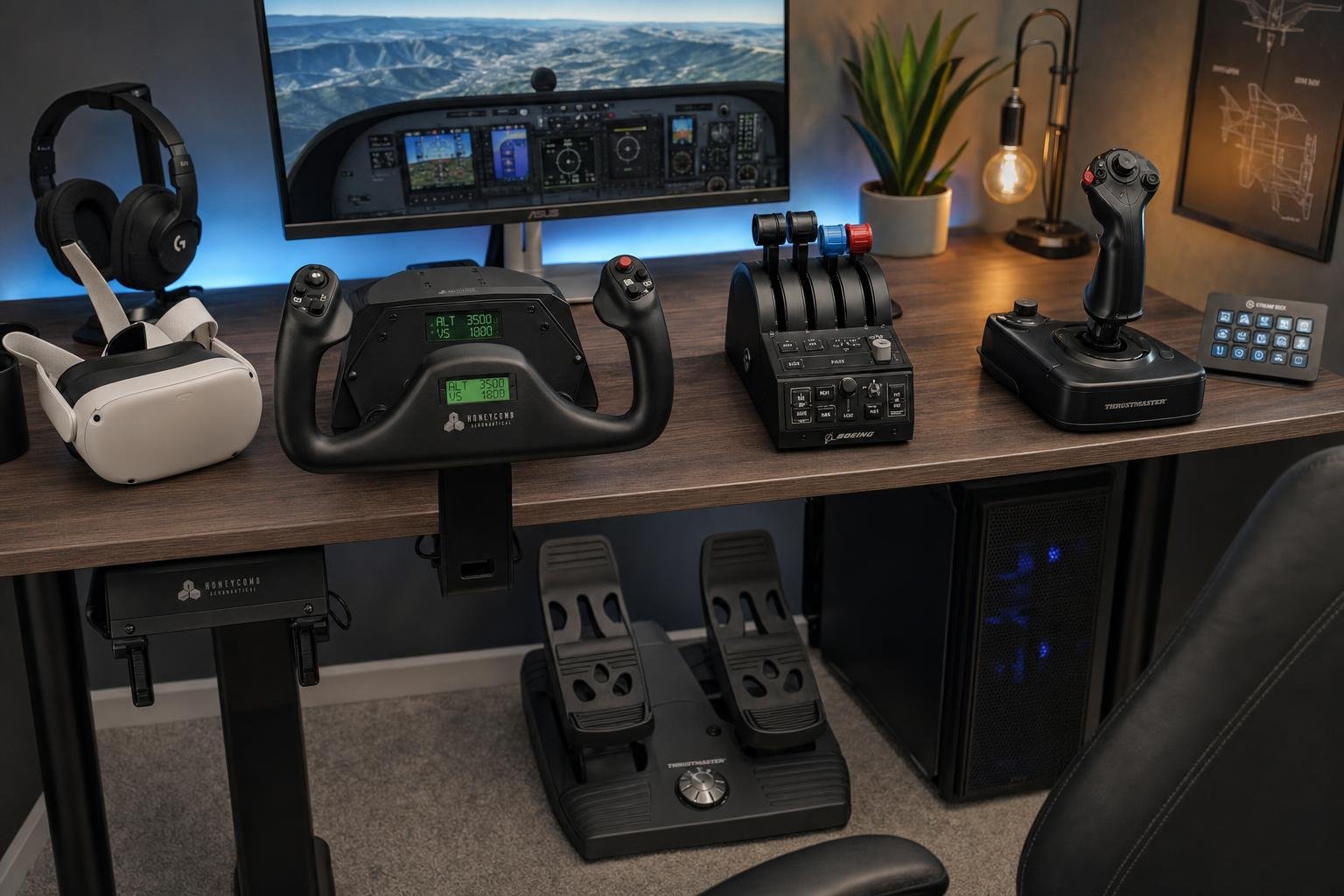
You have a stick with a twist grip, you've added a curve, you've flown more circuits than you can count, and your crosswind landings still end the same way. Crabbed nicely down final, then a drift off the centreline in the last hundred feet and a touchdown somewhere left of where you meant to be. So you go looking for hardware advice and find buying guides organised by budget tier and brand, which answer a question you didn't ask. You don't want to know which yoke is best at £300. You want to know which purchase, if any, fixes the specific thing going wrong in the last ten seconds of your flights.
That question has an answer, and it's not the one the community's spending habits suggest. In this article I'll rank hardware by measurable effect on landings, explain the mechanism behind each ranking so you can check it against your own faults, and finish with a way to prove, from your own flying, whether a purchase did anything at all.
The spending order most simmers follow is upside down
Flight simulation money flows overwhelmingly toward the picture. GPUs, photoscenery, high-refresh monitors, another terabyte of ortho. All of it improves what the simulator looks like. Almost none of it improves how you fly. Meanwhile the peripheral that changes landing outcomes most directly, a set of rudder pedals, costs an order of magnitude less than a high-end graphics card and sits at the bottom of most wishlists, filed under "eventually".
There's a reason for this beyond marketing. A GPU upgrade shows its effect in the first minute. Pedals show theirs over twenty or thirty landings, and only if you fly conditions that demand them. The improvement is real but delayed and undramatic, which is exactly the profile of purchase people postpone.
One caveat before the ranking, because it's the honest frame for everything that follows. Hardware raises the ceiling of what you can do. It doesn't move you toward that ceiling. A disciplined pilot on a £40 twist stick will out-land a sloppy pilot on premium gear every time. What good hardware does is remove specific, identifiable limitations. If your fault isn't one of those limitations, the purchase changes nothing, which is why the diagnosis comes before the shopping.
Why yaw is the axis your desk hides
A real pilot senses yaw before seeing it. Uncoordinated flight pushes you sideways in the seat, and the inner ear registers the onset of rotation before the nose visibly swings. On a flat monitor with a compressed field of view, both cues are gone. Yaw becomes something you detect only visually, and only once it's already large enough to see. The runway sliding sideways in the windscreen, or the heading tape moving. The axis with the weakest sensory feedback at a desk is yaw.
Now consider what most pilots control it with. A twist grip mechanically couples the rudder to the same wrist making pitch and roll inputs. Every movement of one axis contaminates the others slightly, and the contamination is worst at exactly the wrong moment. The flare is a firm, progressive pull on the stick. Pulling back with your wrist while holding a precise twist angle is close to impossible, so the decrab, the moment where you kick the nose straight while the wrist is fully occupied with pitch, falls apart. If your crosswind landings go wrong specifically in the last two seconds, this coupling is very likely why. It isn't a skill deficit that more practice on the same hardware will cure, because the hardware is generating the error.
A crosswind touchdown then demands opposite aileron and rudder held simultaneously, the classic crossed controls of a sideslip. On a twist grip, "opposite aileron and rudder" means rolling the wrist one way while twisting it the other, two inputs fighting each other in a single joint. Pedals put them on independent limbs, which is how the aircraft's designer expected them to be flown. (Crosswind technique itself, crab versus sideslip and when to decrab, is its own subject. The point here is only that whichever technique you use, a twist grip degrades it.)
There's a second, less obvious half of the pedals case. Toe brakes. Pedals with toe brakes give you two independent, proportional braking axes. A keyboard braking key gives you one binary input. Differential, proportional braking is what keeps the rollout straight when a crosswind is weathervaning the aircraft after touchdown, and no keyboard mapping replicates it. The rollout is the phase everyone ignores in buying guides, and it's where a surprising fraction of landing scores are lost.
Two honest caveats. First, cheap pedals often have a hard centring cam, a mechanical detent at neutral that every small correction must punch through. The result is an over-and-back sawtooth around the centreline. You push through the breakout, overshoot, correct back through it, overshoot the other way. If you can stretch to pedals with a smooth, progressive centre, do. Second, spring pedals teach a different skill from real rudders. Real pedal force builds with airspeed and deflection, while springs give the same resistance at every speed. At a desk you learn to fly rudder by displacement rather than force. That's learnable and works, but it's worth naming, particularly for anyone with real-world ambitions. Sim-trained feet learn when to act, not how hard, and the force calibration has to be built in the aircraft. The reverse also holds. Years on a twist grip builds no footwork at all, and a real aeroplane collects that debt on the first crosswind landing.
Where the pedals-first argument is strongest and weakest
The case is close to absolute for taildraggers and helicopters, where pedals are effectively mandatory. It's strong for GA crosswind work. It's weakest for the virtual-airline pilot flying ILS approaches to near-autoland in large jets, where autoflight handles most of the yaw problem. That pilot might honestly rank head tracking or a display upgrade first, and should. The simulator matters too. X-Plane's ground handling is markedly more sensitive to yaw input than MSFS's, and coarse pedal technique that survives in MSFS produces ground loops in X-Plane, especially in taildraggers. And check your add-on. Aircraft with a modelled tiller separate nosewheel steering from the rudder on rollout, while simpler ones map everything to the pedals, so the same hardware behaves differently between two aircraft in the same sim.
Diagnose your fault before spending anything
Buying gear for the wrong fault fixes nothing, and landing faults leave distinguishable evidence. Read yours first.
| What you see, repeatedly | Likely cause | The fix |
|---|---|---|
| Drift off centreline in the last 100 ft, worse in crosswind | Coarse or coupled yaw control | Pedals |
| Sawtooth oscillation around the centreline | Deadzone too large, or hard centring cam | Calibration first, then hardware |
| One-off sudden veer on rollout | Braking asymmetry or a sensor spike | Calibration screen, then maybe hardware |
| Consistent long float and touchdown far down the runway | Excess speed over the threshold | Technique, not hardware |
| Same-side centreline bias on nearly every landing | Axis calibration offset or camera parallax | Calibration and camera position, free |
Two of these deserve expansion.
The auto-rudder trap. MSFS ships with rudder and coordination assists that many pilots have enabled without knowing, sometimes since a first-run wizard years ago. If you believe you "don't need pedals" and your calm-wind landings are smooth, check before concluding anything. In MSFS it's Assistance Options, then Piloting, for auto-rudder and assisted takeoff and landing. In X-Plane it's the flight-model and joystick screens for stability augmentation. In Prepar3D it's the realism settings for auto-rudder. Turn them off and fly one 10-knot crosswind landing. If it goes badly, the software has been flying part of your landings for you, and the skill you thought you had doesn't exist yet. This is the single most common reason the pedals question gets answered wrongly.
Sensor faults masquerading as weather. A worn potentiometer can spike, throwing a phantom rudder or brake deflection that the pilot blames on a gust or the flight model. A miscalibrated toe-brake axis can hold a few percent of brake permanently, producing an unexplained pull on every rollout that's invisible from the cockpit. Both are obvious in the raw axis view of a calibration screen that almost nobody opens. Watch the axes with your hands and feet off the controls, and again while moving them slowly. A steady trace is fine. Flicker and jumps at rest are your "gusts".
Head tracking is the legitimate second purchase
Head tracking gets sold on immersion, which undersells it. Its landing-specific value is that it partially restores peripheral vision, and peripheral vision is what detects lateral drift early. In a real cockpit you register the world sliding sideways at the edges of your vision before the runway visibly moves in the centre. A fixed camera on a monitor strips that cue out, so drift is detected late, corrections are larger, and large late corrections in the flare are how balloons and drop-ins happen. Head tracking, whether infrared, webcam-based or VR, lets you glance down the runway edge and pick up drift while it's still a one-degree problem. It pairs directly with pedals. The pedals give you the authority to correct, and the tracking tells you when. The full comparison of VR, head tracking and multi-monitor setups for approach work, including what VR's depth perception buys in the flare, is a separate subject. For landing purposes the short version is that any of them beats a fixed camera.
One free discipline belongs here. Keep your camera and eye position identical between flights. Every height and drift judgement you make in the flare is calibrated to a specific sight picture, and moving the virtual eyepoint two inches invalidates all of it.
Control refinement third, and the honest case for a yoke
The yoke-versus-stick question in the buying guides is mostly about matching the aircraft you fly, and that's fine as far as it goes. A yoke for GA and Boeings, a stick for Airbus and fighters. But the property that matters for landings isn't the shape of the grip. It's behaviour near centre.
On final approach you live within a few percent of neutral on every axis. Sensor resolution and jitter at full deflection are irrelevant. At centre they read directly as flight-path oscillation. This is the actual reason hall-effect sensors are worth having. Not the marketing resolution figures, but a clean, repeatable signal in the two or three percent of travel around neutral where the whole approach happens. A noisy potentiometer at centre puts a wobble into your control trace that you then "correct", and the correction loop becomes the oscillation.
Physical throw matters for the same reason. A consumer stick moves through a small arc, so the entire flare is compressed into millimetres of movement. This is what sensitivity curves are actually for. Not taming a "twitchy" aircraft, but expanding those millimetres into usable precision at the cost of authority at the extremes. (A full calibration and curves guide is its own article.) A yoke's longer pitch travel gives you that precision mechanically, which is its real advantage. Its common disadvantage is heavy spring centring that gives identical force at 60 knots and 160 knots, where a real elevator loads up with speed. Heavy springs actively punish the small, progressive back-pressure a good flare needs, so a yoke with lighter, smoother centring can be a better landing tool than a stiffer, more expensive one.
Since no hardware at a desk gives you control loading, buffet or trim feel, some real-world lore, "feel for the runway" chief among it, is unavailable. Replace it with visual technique and a trimmed, known datum rather than mourning it.
The GPU comes last, and its case is narrow
There's a real, honest argument for graphics hardware in a landing article, and it's about latency, not scenery. The flare is a high-gain closed control loop. You make an input, watch the response, and correct, several times a second. Every millisecond between your hand moving and the picture changing raises the risk of pilot-induced oscillation, because you end up correcting a picture that's already out of date. At 30 fps each frame takes 33 ms. At 60 fps, 17 ms. Add USB polling (commonly 8 ms at default rates) and display lag, and the difference between a smooth 60 and a stuttering 25 is meaningful in a gusty flare.
Worse than average frame rate is a stutter at the wrong moment. A pause on short final in a crosswind means flying blind for a fraction of a second at the exact moment the loop gain is highest, and no amount of practice compensates for input made against a frozen frame. So here's my honest GPU advice. Buy enough performance for a consistent frame rate in the landing phase, at whatever settings that requires, and stop. Beyond that point you're buying screenshots. Entry-level pedals cost roughly what one GPU tier jump costs, and only one of the two changes where the aircraft touches down.
The upgrades that cost nothing
Before or alongside any purchase, three free changes behave like hardware upgrades. Bolt or brace the pedals, because pedals that slide on the floor, or a chair that rolls when you push, turn every rudder input into a whole-body disturbance, and the disturbance feeds straight back into the controls. Shrink the deadzone, setting it as small as your hardware's jitter allows, because deadzone is dead centreline authority, a band around neutral where your small corrections do nothing. An oversized deadzone trades visible jitter for an invisible fault, the inability to make fine corrections at all. And calibrate the brake axes properly, checking they rest at true zero.
Prove it with your own landings, not with reviews
The claim running through this article, that hardware should be judged by measured landing improvement, is only actionable if your landings are measured. Usefully, this is where the desk beats the aircraft. The simulator knows things no real cockpit shows the pilot. Exact touchdown rate, exact lateral offset from the centreline, drift angle and sideslip through the flare, the whole rollout track. It's how you find out whether you actually decrab or only think you do.
This is the FOQA principle, the flight-data monitoring that airlines use to improve line flying, applied to a buying decision. I built My FS Flights to record this automatically. Every landing gets a report covering the flare, touchdown rate, threshold speed against VRef, centreline and glideslope tracking, and the rollout, and every flight lands in a permanent logbook. That turns a hardware purchase into an A/B test that requires no note-taking. Fly twenty landings before the pedals arrive and twenty after, in similar conditions, and compare the distributions. Aggregate matters here, because one landing tells you almost nothing (a single greaser or a single bounce is noise), while twenty expose the pattern, including things like a persistent same-side centreline bias that points at calibration rather than technique.
The test also makes a prediction you should hold your purchase to. Pedals should move the lateral numbers. Centreline tracking on approach, offset at touchdown, rollout deviation. They shouldn't do much to your touchdown-rate scatter, which narrows with flare practice, not purchases, or to a chronic excess of threshold speed over VRef, which is an energy-management fault no peripheral fixes. If you buy pedals and the vertical numbers stay put, nothing has gone wrong. Yaw was never that fault's cause, and the report has just saved you from misdiagnosing your own flying.
What to do with the pedals once they arrive
New pedals plus old habits produces a bad week. Footwork is built deliberately, and the desk makes deliberate practice absurdly cheap compared with an aircraft, where a rental hour buys perhaps eight to ten circuits and the wind is whatever the day provides.
Start with five minutes of pedal-only taxi slalom between runway edge lights. It's boring and it works, and it exposes a centring cam or a brake miscalibration before they can ruin a landing. Then use the repositioning feature. Restarting at a 3 nm final gives you an order of magnitude more landings per hour than flying full circuits. Fly a block of identical finals in calm wind to bed in the new displacement feel, then run the crosswind ladder. Same runway, same aircraft, wind set to 5 knots, several landings, then 10, then 15, stepping up only when the current rung is consistent. No real-world training environment can offer this, because real wind isn't on demand.
Two isolation drills accelerate it. The low pass. Fly the runway's length at 20 ft in a crosswind without touching down, holding the centreline with crossed controls, which separates the decrab skill from the flare skill so each can be practised alone. And rollout-only practice. Start on the runway at touchdown speed and hold the centreline to a stop with pedals and differential braking. Nobody practises the rollout, everybody loses points on it.
The order, then. Diagnose the fault from your own landing evidence, fix the free things, buy pedals if the fault is lateral, head tracking if the fault is detecting drift late, refine the controls you have before replacing them, and treat the GPU as a consistency purchase with a defined stopping point. The pilots whose landings improve fastest are rarely the ones with the most expensive desks. They're the ones who know, in numbers, what their last twenty landings actually looked like.